
| Getting your Trinity Audio player ready... |
Hey friend, let’s talk about the back of your TV.
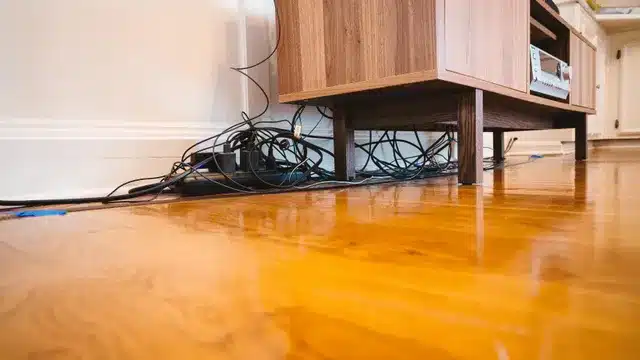
You know what’s back there. A situation. A dizzying tangle of HDMI cables, power cords, streaming device dongles, soundbar wires, gaming console cables, and at least two cords you cannot identify that you are absolutely not unplugging in case something stops working.
The front of your living room looks pretty good. The back of the TV looks like something exploded.
You are not alone in this. The entertainment center is one of the most cable-dense spaces in any home, and unlike the home office — where at least everything is within reach — the TV setup is often awkward to access, pushed against a wall, and involves enough devices that even knowing where to start feels impossible.
Here’s what I know after years of working in living rooms (kids rooms, bedrooms too): the cord chaos behind the TV is not a technology problem. It’s an organization problem. And like every organization problem, it has a solution.
Start With a Full Assessment
Before you buy a single cable tie or cord cover, do what you would do with any other space in your home: pull everything out and see what you are actually working with.
Unplug every device from the TV and from the wall. Lay the cables out where you can see them. Then ask:
What is actually plugged in and in use? Most entertainment setups have at least one or two cables for devices that are no longer in regular use — an old gaming console, a DVD player from three years ago, a streaming stick that got replaced by a newer one. If it is not being actively used, it does not go back.
What cables are duplicates or unnecessary? If you have a soundbar connected via both optical and HDMI ARC, you need one, not both. If you have three HDMI cables running to a device that only needs one — again, one.
What is the right length for each cable? Most cable chaos is caused by cables that are far too long for the distance they need to cover. A two-foot HDMI cable running six inches between a console and a TV creates a loop of excess that has nowhere to go. Measure what you actually need and replace cables that are dramatically oversized.
This assessment alone — before any organizing solution is in place — typically eliminates 30 to 40 percent of the visible cable problem.
The Wall-Mounted TV Problem
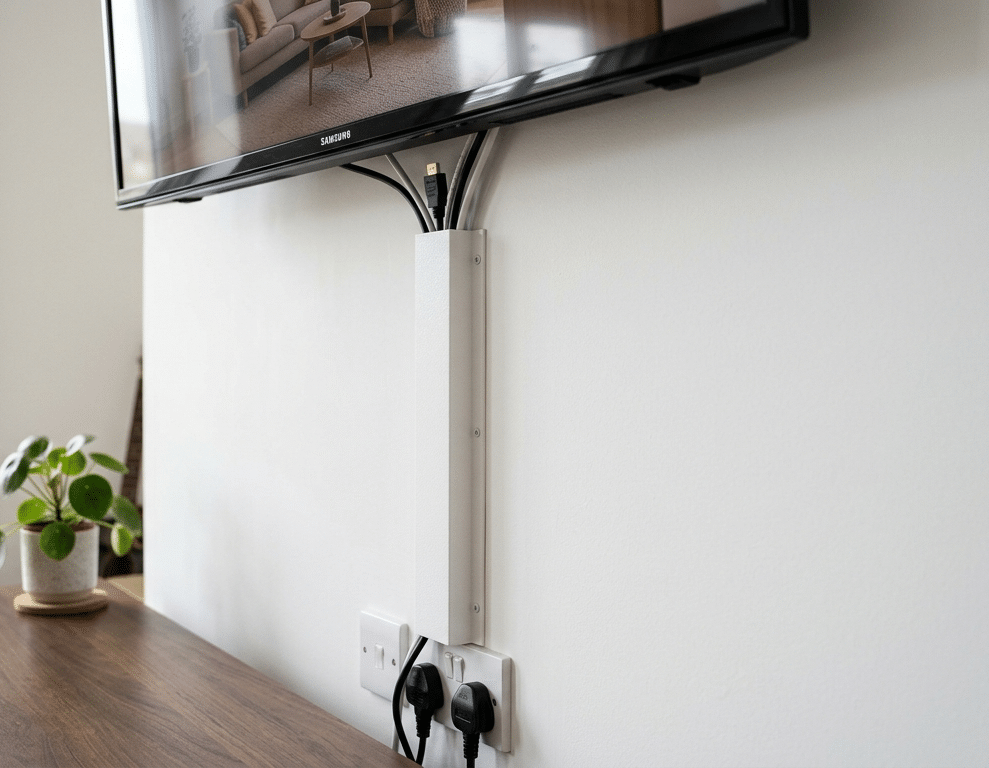
If your TV is wall-mounted, cables are the number one thing that undermine the clean look you were going for. A sleek, frameless TV floating on the wall with a waterfall of cables dangling below it is one of the most common living room frustrations I see.
There are two proper solutions depending on your setup.
In-wall cable routing is the cleanest option. A recessed power outlet is installed directly behind the TV, and cables run through the wall down to your equipment. This is a job for an electrician and is not a DIY project for most people — but the result is genuinely invisible cables, which no surface solution fully achieves.
On-wall cable covers are the practical alternative for renters or anyone who does not want to open the wall. Paintable cable raceways run from the TV down to the equipment, creating a flat channel that sits flush against the wall. When painted to match the wall color, they disappear. The key is choosing a raceway wide enough to accommodate all your cables comfortably — cramming five cables into a channel designed for two defeats the purpose.
What does not work: a single power cable run through a cable cover with everything else left hanging. Commit to the solution fully or the result looks worse than what you started with.
The Entertainment Unit Situation
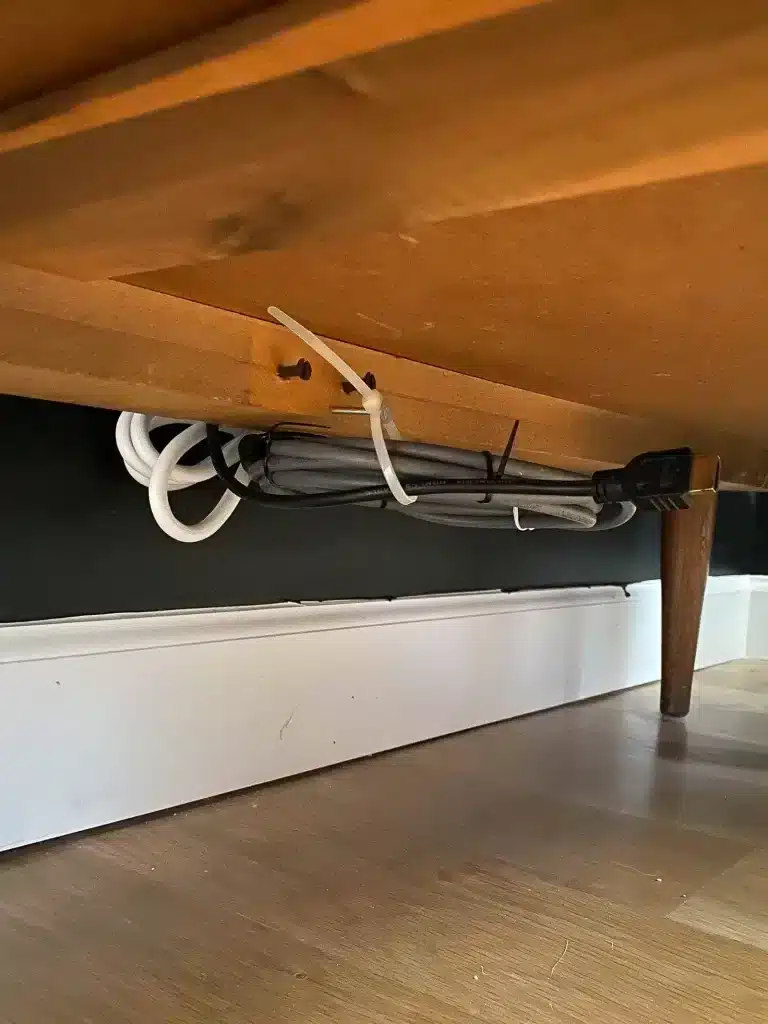
If your TV sits on a unit or console rather than being wall-mounted, the challenge is different. You have more places to hide things, but also more surface area for chaos to spread across.
Assign each shelf or section a job. The cable clutter in most entertainment units happens because devices end up wherever they fit rather than where it makes organizational sense. Streaming devices near the top where they connect to the TV. Gaming consoles at a level where the controllers can reach comfortably. Audio equipment where the cables run most directly to the speakers. When devices are positioned around cable logic rather than aesthetic preference, cable management becomes significantly easier.
Use the back panel. Most entertainment units have a gap or cutout at the back. All cables should exit through this point rather than hanging over the sides or front. If yours does not have one, a simple hole saw creates one — or a cable routing grommet keeps the opening tidy.
Velcro cable ties inside the unit. Loose cables inside a closed unit might be out of sight, but they create problems when you need to access anything. Bundle cables that run together with Velcro ties rather than zip ties — Velcro is reusable, which matters when you inevitably need to reconfigure something.
Label everything before it goes back in. Both ends of every cable. The fifteen minutes this takes saves enormous frustration the next time you need to swap a device or trace a connection problem.
Gaming Setup Cable Management
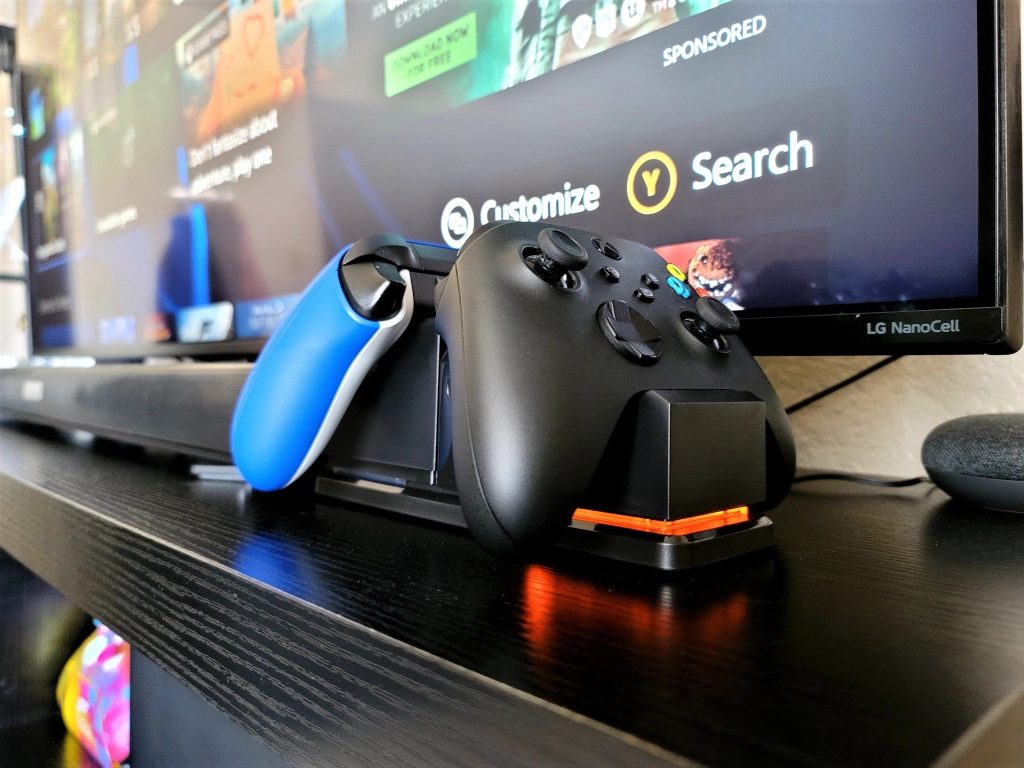
Gaming setups have their own specific cable challenges — controllers, headsets, charging cables, multiple consoles, capture cards, external drives. The cable chaos situation around a gaming setup can escalate fast.
A charging station for controllers removes the biggest visible cable problem immediately. A dedicated dock keeps controllers charged and in one place, eliminating the trailing cable from a controller charging directly in the console or the wall.
Cable clips along the back of the desk or unit route controller cables and headset cables out of the play area when not in use. A simple hook or clip means the cable is accessible but not in the way.
A separate power strip for the gaming setup means everything powers on and off together, and the cable run to the wall is a single managed bundle rather than multiple individual cables.
Consider a cable spine for the main run. Where multiple cables need to travel the same route — from the console area down to a power strip, for example — a fabric cable sleeve or spiral wrap bundles them into a single cord. One cord running from A to B looks intentional. Six cords doing the same thing looks like cable chaos.
Soundbar and Speaker Cables
Soundbars create a specific problem: the cable needs to travel from the TV or from behind the unit to the soundbar, which is typically sitting directly below the TV in a very visible position.
HDMI ARC or eARC is your cleanest connection. If your TV and soundbar both support it, a single HDMI cable handles both audio and control functions. One cable is always better than two.
Run the cable behind the TV unit rather than across the front. It sounds obvious, but many people route the soundbar cable across the visible face of the unit because it is the path of least resistance. Take the extra ten minutes to route it properly.
Wall-mounted soundbars with the cable run through an on-wall raceway alongside the TV power cable achieve the cleanest result. If your soundbar is on a shelf, a short cable management sleeve from the soundbar to the back of the unit keeps it contained.
The Power Strip Situation
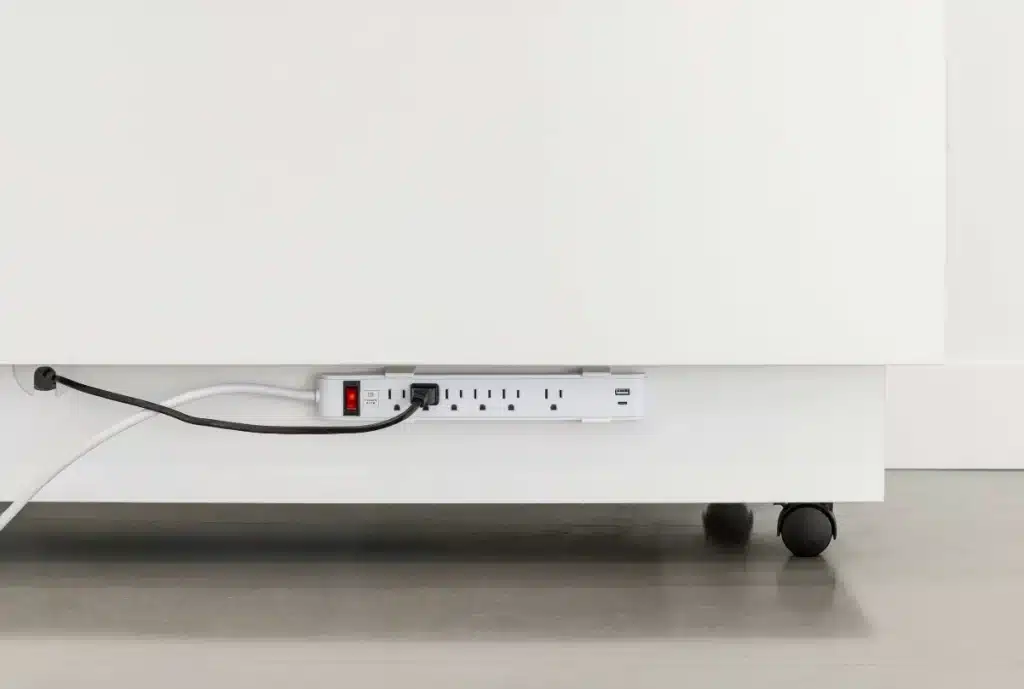
The power strip is the anchor of any entertainment setup and the starting point for most cable chaos. Most people use a basic strip sitting on the floor or behind the unit with cables radiating outward in every direction.
Mount it. Most power strips have mounting holes or work with adhesive mounting strips. Attached to the back of the entertainment unit or wall, the power strip becomes a fixed point rather than a loose object that migrates. This alone significantly reduces the spaghetti effect.
Match the strip to what you actually need. A twelve-outlet strip when you have five devices means seven unused sockets collecting dust and the excess cord from the strip itself adding to the problem. Measure what you need and choose accordingly.
Surge protection is not optional for an entertainment setup. A power surge can damage every connected device simultaneously. If your current strip does not have surge protection, replace it.
One More Thing
The entertainment center is one of those spaces that looks finished once the cables are managed — and then a new device arrives, or something gets swapped out, and it unravels again within a month.
The Calm Home Reset Method™ applies here too. A quick check every few months — what’s changed, what’s no longer in use, what needs to be re-routed — keeps the system working without requiring a full overhaul every time. Fifteen minutes of maintenance is significantly easier than starting from scratch.
If the living room is just one room in a home that needs a proper organization systems overhaul, that is exactly what I do.
Book a session here, call 832-271-7608 to get started even faster, or, if you still have questions, complete the form below. I’ll answer them as quickly and completely as possible.

Working with Taya and her team is easy. You can book an appointment easily on her website, or contact her directly at 832-271-7608
- Why an Organizing Plan From an App or AI Falls Apart in a Houston Home - October 12, 2026
- How to Organize Your Baking Supplies Before the Holiday Baking Starts - October 9, 2026
- How to Organize a Nightstand: What Goes on Top, in the Drawer, and Behind It - October 7, 2026